Wedding speech cue cards, on your phone.
A best man, maid of honor or parent's speech is three to five minutes of stories you know by heart and lines you don't. Put each on its own card, swipe through them with a glass in the other hand, and let a timer tell you when to raise it.
- 3,600+ downloads
- — GitHub stars
- Free and MIT licensed
For those who don't know me, I'm Jess, Emma's sister.
smile
Story: Emma, age nine, and the hamster in the post box.
Then she met Tom. First thing she told me: he fixed my bike.
What I love about them together: they still laugh at the same things.
look at them
Please raise your glasses: to Emma and Tom.
raise glass
The pink lines are cues, written for you to read and not to say, and the clock at the top is the timer counting how long you have been talking.
For those who don't know me, I'm Jess, Emma's sister. smile
Swipe the card or tap Next. The pink words are cues, reminders you never say out loud, and the clock counts up from when you started.
What you get
Why cards beat paper at a wedding
-
01
One story per card
A few words start each story; you tell the rest looking at the room.
-
02
Nothing to drop or lose
Your cards are on your phone, your Lock Screen or your watch, so your hands stay free.
-
03
A timer for a short speech
It warns you when it is time to head for the toast.
-
04
Cues for the big moments
Where to pause for the laugh, look at the couple and raise your glass.
The app itself
What it looks like.
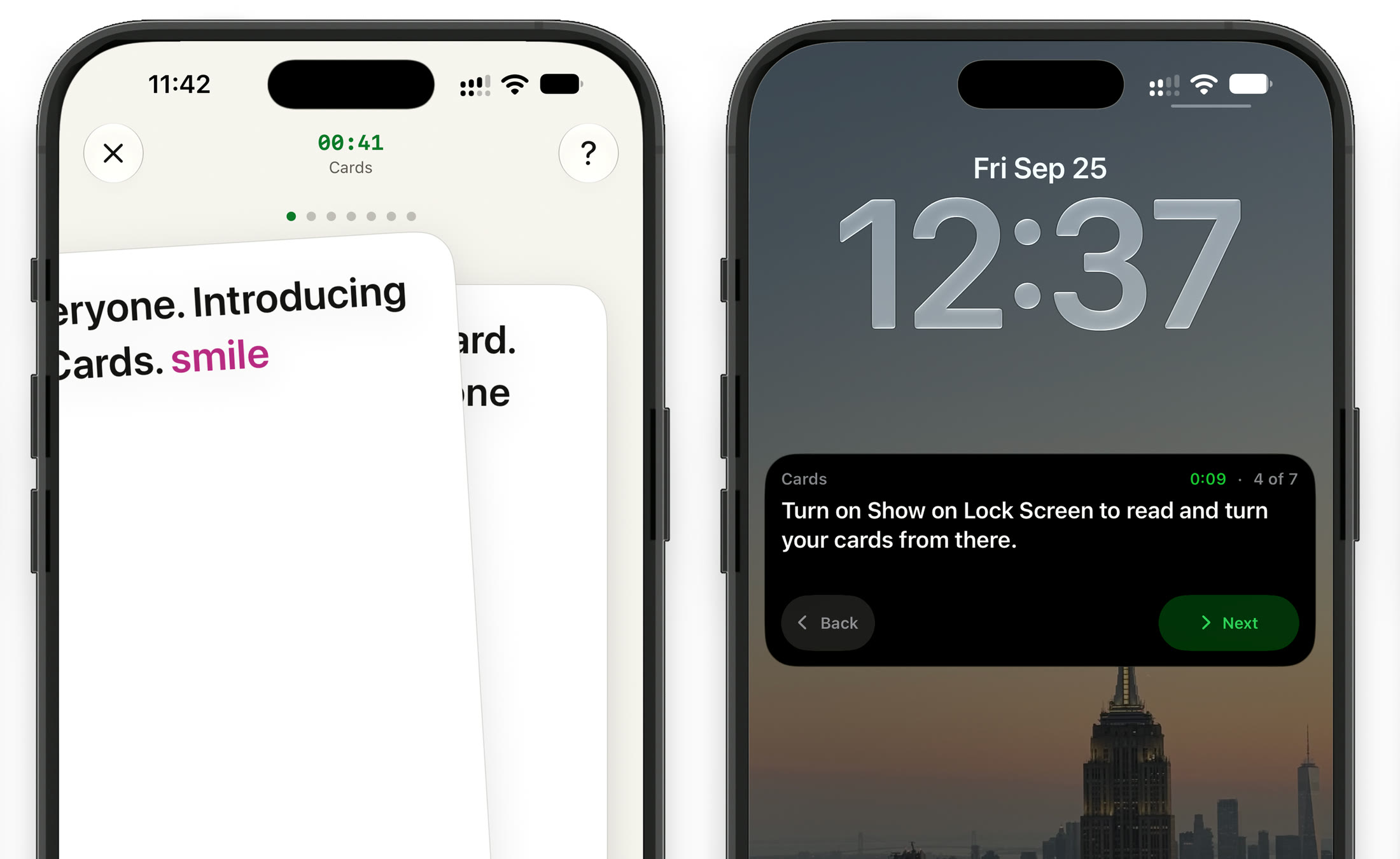
Swiping to the next card in the app, and the same deck on the Lock Screen with Back and Next.
The rest of CueCard
Need every word instead? There is a teleprompter too.
- Teleprompter Your whole script, scrolling at your pace, full screen or floating over the app you film in. See how it works
- Cards One point at a time. Swipe through in the app, on the Lock Screen or on your watch. See how it works
- Apple Watch A remote for the teleprompter, and your cue cards on your wrist. See how it works
Cue cards for
Whatever it is you have to stand up and say
Get CueCard
On your phone in under a minute
Free, with no account required, no subscription and nothing to cancel.
On your phone, iPad and watch
A teleprompter that floats over the app you film in, and cue cards for when you speak.
Written setup guide
How to put a wedding speech on cue cards
Write the speech first. Then turn it into cards in CueCard.
-
01
Switch to Cards
Tap the mode name at the top left of CueCard's editor and choose Cards.
-
02
One story per card
Put who you are on the first card, one line per story after it, and the toast on the last. Keep each short enough to take in at a glance.
-
03
Add cues where you rush
Type [ or tap Add Cue for reminders like [cue pause] or [cue look up]. They show in color and are never read out.
-
04
Set a timer with a warning
Tap the timer beside Read Cards, set how long you have, and use Warn in Last so the time changes color before you run over.
-
05
Rehearse with Read Cards
Tap Read Cards and run the whole deck out loud, swiping or tapping Next. Cut any card you have to squint at.
-
06
Speak from your Lock Screen or watch
Turn on Show on Lock Screen in Cards Settings to turn cards with the phone locked, or keep the deck on your Apple Watch and leave the phone in your pocket.
A short deck to try
One card per paragraph: type each into its own box in CueCard.
For those who don't know me, I'm Jess, Emma's sister. [cue smile]

Story: Emma, age nine, and the hamster in the post box.

Then she met Tom. First thing she told me: he fixed my bike.

What I love about them together: they still laugh at the same things. [cue look at them]

Please raise your glasses: to Emma and Tom. [cue raise glass]
Frequently asked
Questions, answered.
Is it OK to read a wedding speech from a phone?
Yes, if you are glancing rather than reading. Cue cards help: one short line per card reminds you of the story, and you tell it while looking at the guests. With Show on Lock Screen on, you can lock the phone between glances and still turn cards.
How long should a wedding speech be?
Three to five minutes is typical for a best man, maid of honor or parent. Set the CueCard timer to your time, with Warn in Last set to a minute, and the time changes color when it is time to head for the toast.
Can I give my speech from my Apple Watch?
Yes. Save the deck, choose Keep on Apple Watch from the ••• menu, and read it on your wrist with the phone in your pocket. See CueCard on Apple Watch.
Do I need an account to use CueCard?
No. There is nothing to sign up for on either app, and your scripts and settings live on your device. The one exception is Google Slides sync on the desktop app, which asks you to sign in with Google so it can read the notes out of your deck. See the privacy policy for the details.
Is CueCard free?
Yes. CueCard is completely free on mobile and on desktop, and open source under the MIT licence. Read the code on GitHub — and a star is always welcome.
Is CueCard open source?
Yes, MIT licensed, on GitHub. An app that can see your script is one worth being able to read the source of.
Where are my scripts stored?
On your device. Your notes are not uploaded to us. The privacy policy sets out exactly what is and is not kept.
How do I report a bug or ask for a feature?
Open an issue on GitHub, or email support@cuecard.dev. Both are read.